"WordPress with Elementor: My First Step from Confusion to Clarity”
When I started learning WordPress, I honestly didn’t feel confident. I opened the dashboard and saw so many options posts, pages, plugins and I didn’t know where to begin. If you’re feeling the same, this is exactly where I was. This blog is for anyone who is just starting and wants a simple, clear direction.
WordPress VS Elementor
WordPress is the platform where we build websites, and Elementor is a page builder that helps us design without coding. Once we understood this basic difference, things became easier. Instead of trying to learn everything at once, i focused on one goal: creating my first simple webpage. The first step is setting up your website. you need a DOMAIN and HOSTING.
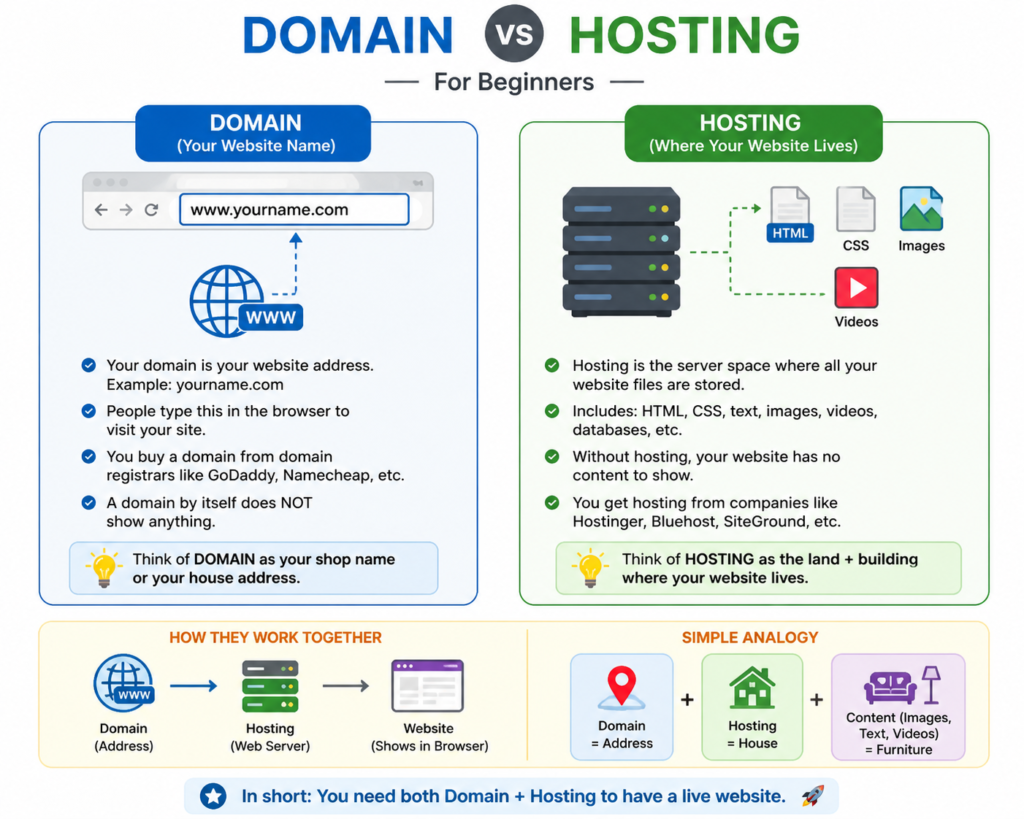
Domain VS Hosting
A domain name is the name people type in their browser to find your website. Example: google.com, amazon.in
Hosting is the space on the internet where all your website files, images, and content are stored. Example: Companies like Hostinger, GoDaddy, Bluehost own big computers called “servers”. You rent space on their server to keep your website . Most hosting providers give a one click WordPress installation, so you don’t need technical skills. After installing, you can log in using /wp-admin and access your dashboard.
Next, install Elementor. Go to Plugins → Add New, search for “Elementor,” install, and activate it. Now you’re ready to design.
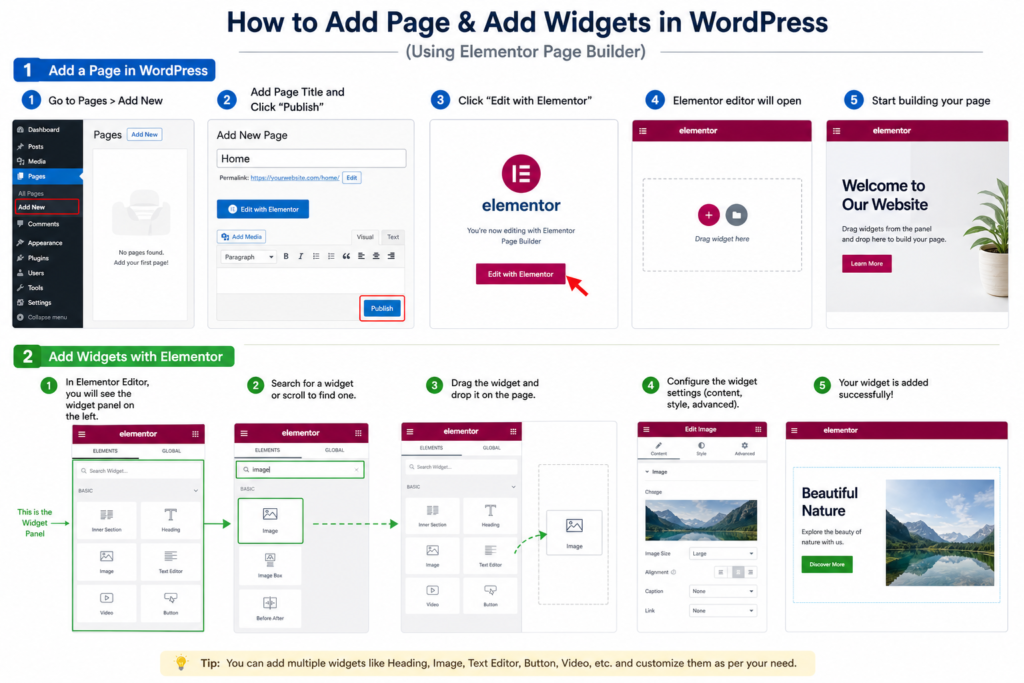
To create your first page, go to Pages → Add New, give your page a name (like Home), and click “Edit with Elementor.” This opens the Elementor editor. On the left side, you’ll see widgets like headings, text, images, and buttons. On the right side, you’ll see your live page.Now comes the practical part. Drag a heading widget and write something simple like “Welcome to My Website.” Add a text widget below it and write a short description. Then add a button like “Contact Me.” That’s your first section.
At this stage, don’t focus on making it perfect. I made the mistake of trying to design a full website in one day, and it only made me frustrated. The goal here is to understand how Elementor works sections, columns, and widgets.Sections are the big blocks, columns divide those sections, and widgets are the content you place inside. Once you understand this structure, everything becomes easier.Another important lesson is to keep things simple. Too many colors, fonts, or animations can make your page look messy. A clean and basic design is always better for beginners.
The best way to improve is by practicing. Try recreating simple website layouts you see online. This helps you understand structure and design flow.
When you finally click “Publish” on your first page, it feels like a small win but it’s actually a big step forward.
– WordPress = platform, Elementor = design tool
– Start with domain + hosting setup
– Install Elementor plugin
– Create a simple page using drag-and-drop
– Understand sections, columns, and widgets
– Focus on learning, not perfection
– Keep design simple and clean
– Practice by recreating basic layouts
– First goal = publish one simple page